
Export records as GPX
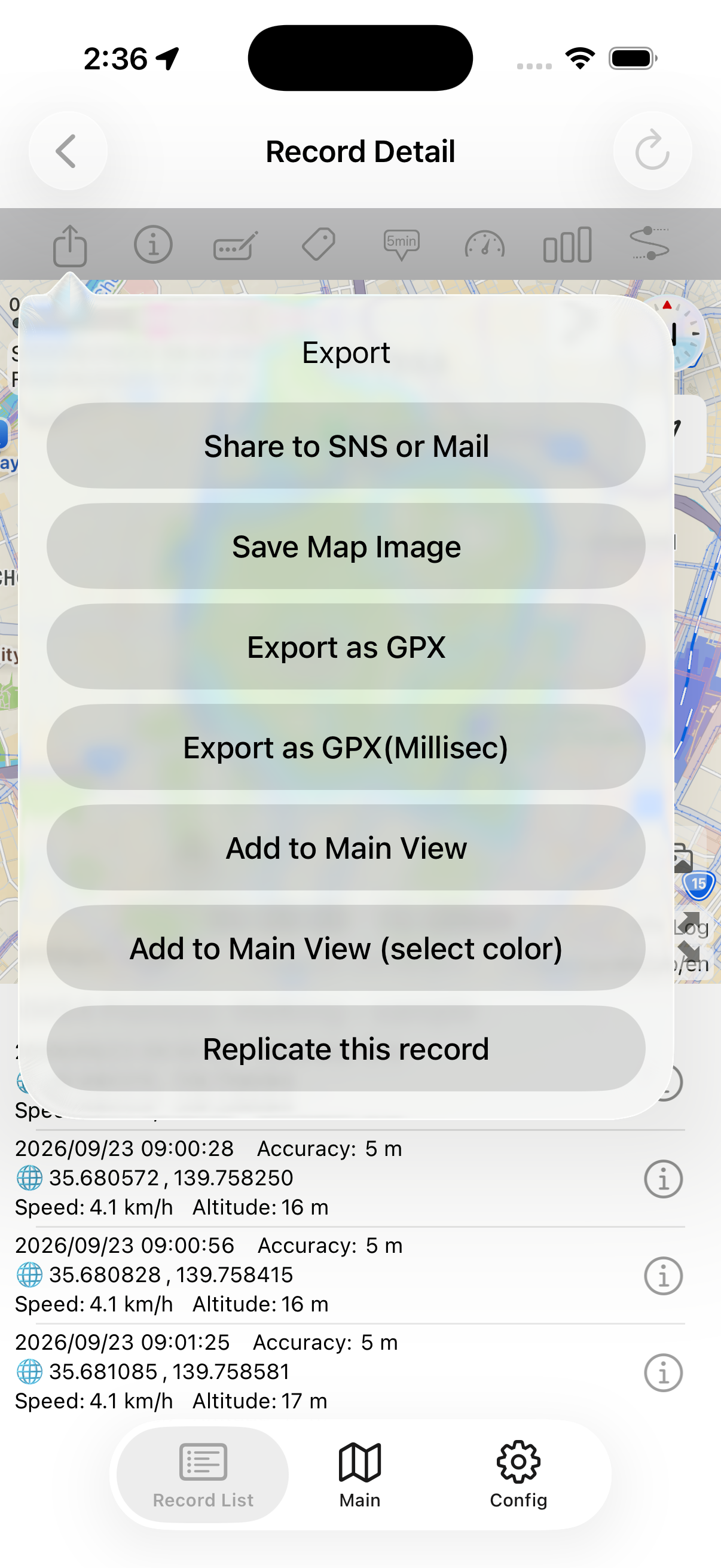
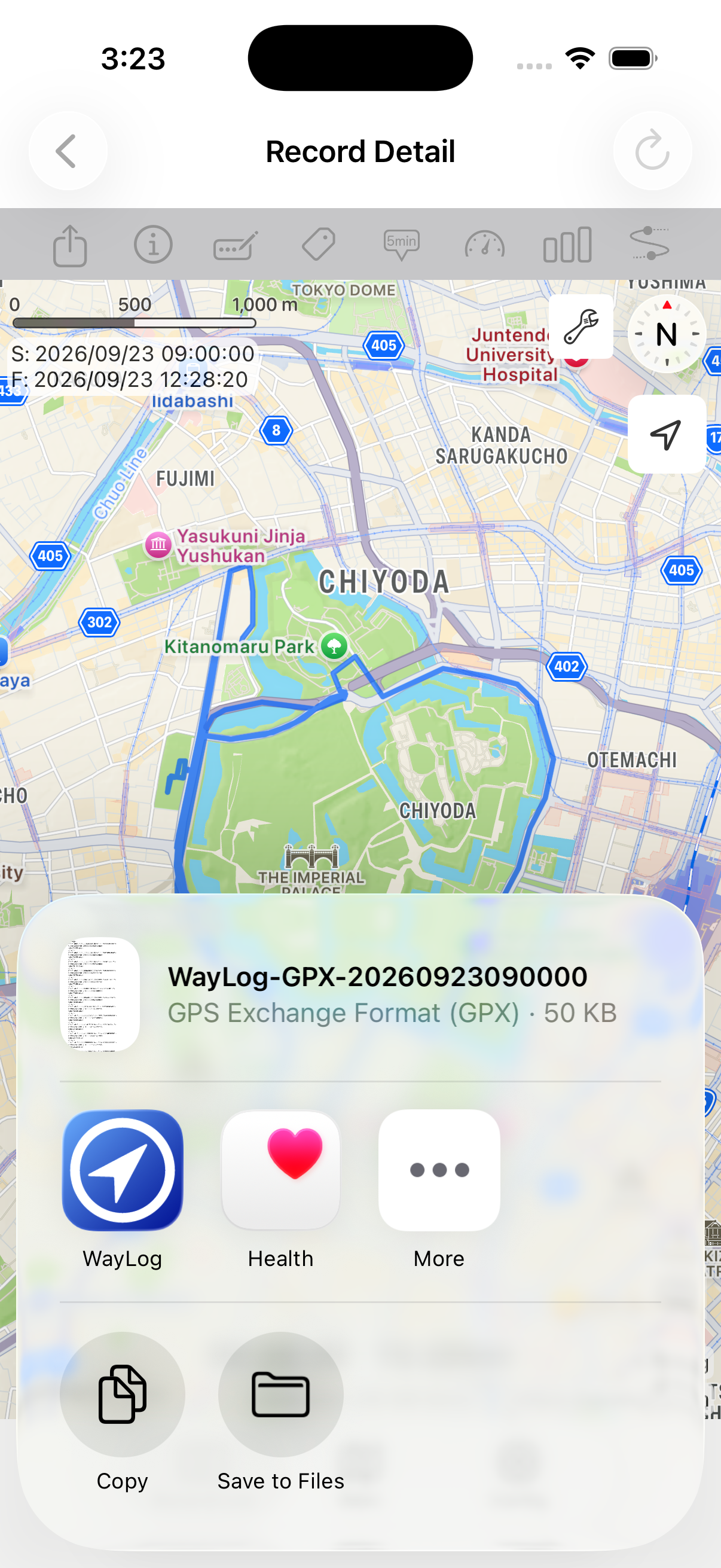
Export your journey as a GPX file to use with compatible tools.
GPX with WayLog
WayLog supports GPX export and import. Save your journeys as files to use with compatible apps and services.
Record your journey with WayLogFor iPhone · Free to download

When WayLog can help
Go beyond viewing your records in the app. GPX export and import let you work with journeys in other compatible tools.
Export your journey as a GPX file to use with compatible tools.
Import GPX files and check their format and contents before using them.
You can bundle several GPX files into one ZIP. This feature requires the paid version.
Before your first trip, check compatibility and the settings you need.
Review the journey you saved, and check that the receiving app supports GPX.
Choose GPX in the app's export menu and save the file.
Follow the receiving app's import instructions. Check file format and contents when importing, too.
For current compatibility and features, see the App Store listing for more information.
Look back on the map
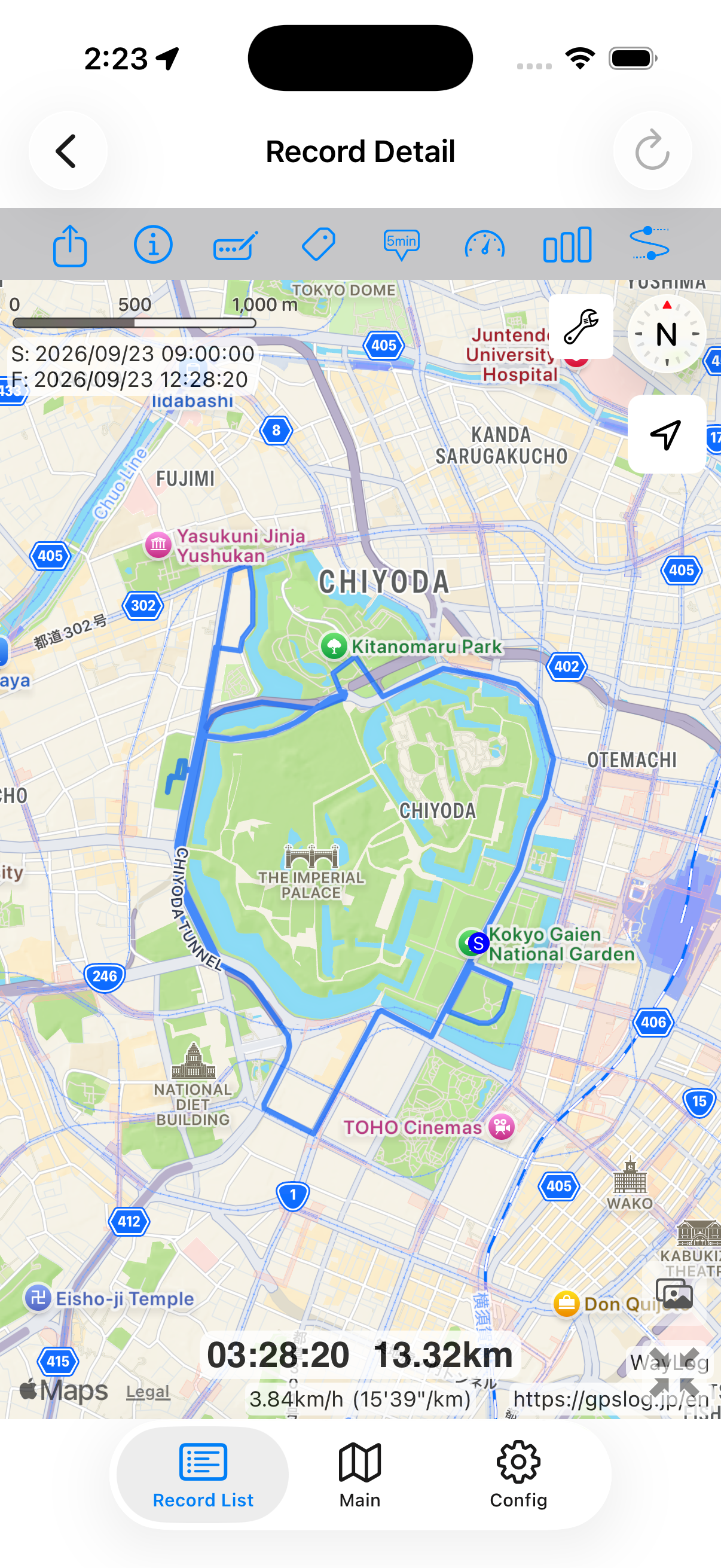
Check the route on your iPhone before exporting. Choose the journey you want to use in a compatible app or service.
The map, dates, and values are synthetic examples. This file was exported from the actual app using that sample record. It is not an actual journey or measured distance.
A closer look at your journey
Check the route you recorded, then export it as GPX for use in another compatible tool.
Keep records your way
Find records by date, keyword, or tag. Choose the journey you need and use it according to the receiving tool's requirements.
Example tags you can add yourself
An example of how to organize records. You choose your own tags; they are not assigned automatically.
You can select multiple records and export their GPX files in a single ZIP. This requires the paid version, as described in the App Store release notes.
Display and available information depend on the receiving app's GPX support. Check the app or service's specifications before importing.
WayLog is free to download and use. Check the App Store and the app for optional features and purchase terms.
No. WayLog cannot recreate a route traveled before recording started. Begin recording before the journey you want to save.
Everyday trips and roads you have never traveled.
Your own records, ready to revisit.
For iPhone · Free to download