
Keep favorite roads
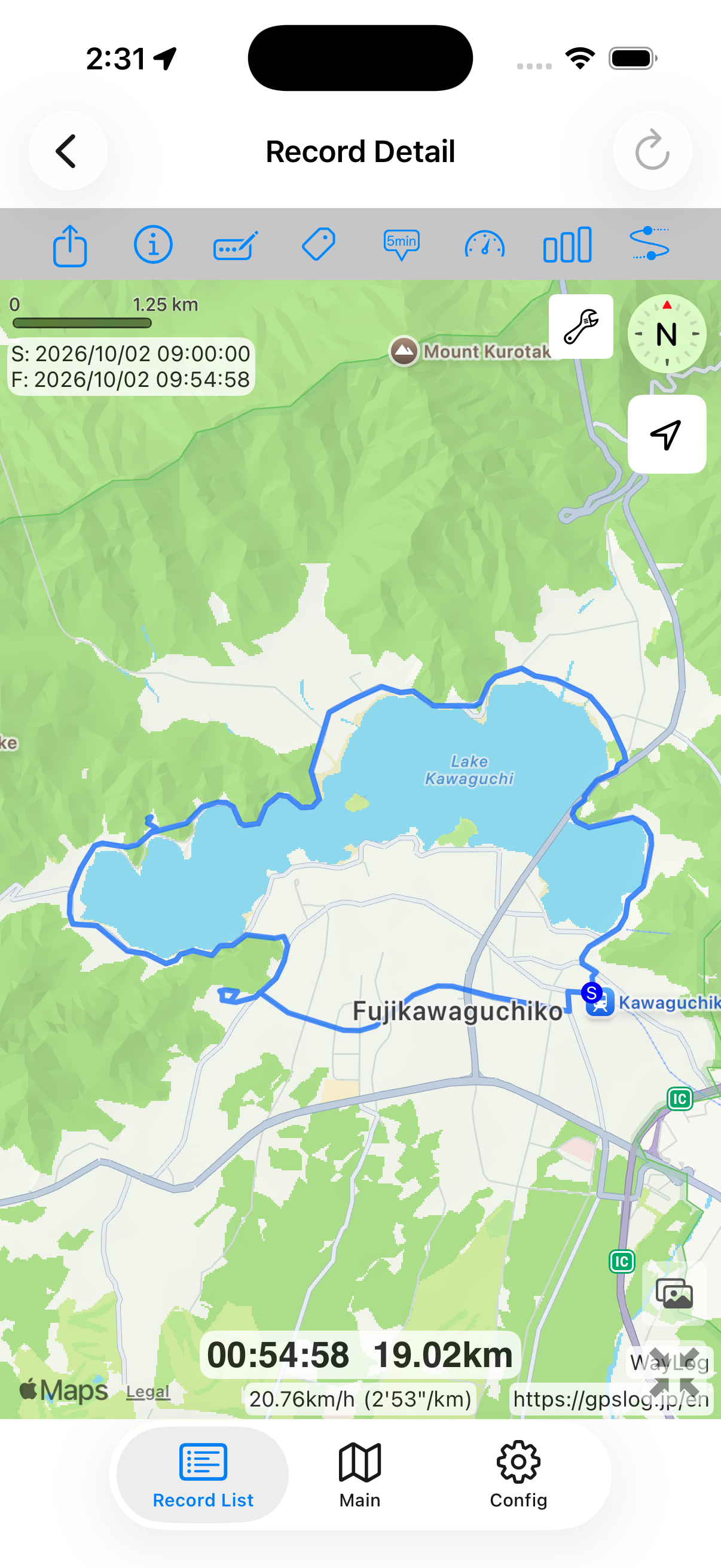
See your route on the map. Make winding roads and detours part of your own record.
Record motorcycle rides and tours
Scenic roads and spontaneous detours. Record your motorcycle route and distance, then look back on the map.
Record your journey with WayLogFor iPhone · Free to download

When WayLog can help
A day on mountain roads or along the coast. Keep the roads you traveled as inspiration for your next ride.
See your route on the map. Make winding roads and detours part of your own record.
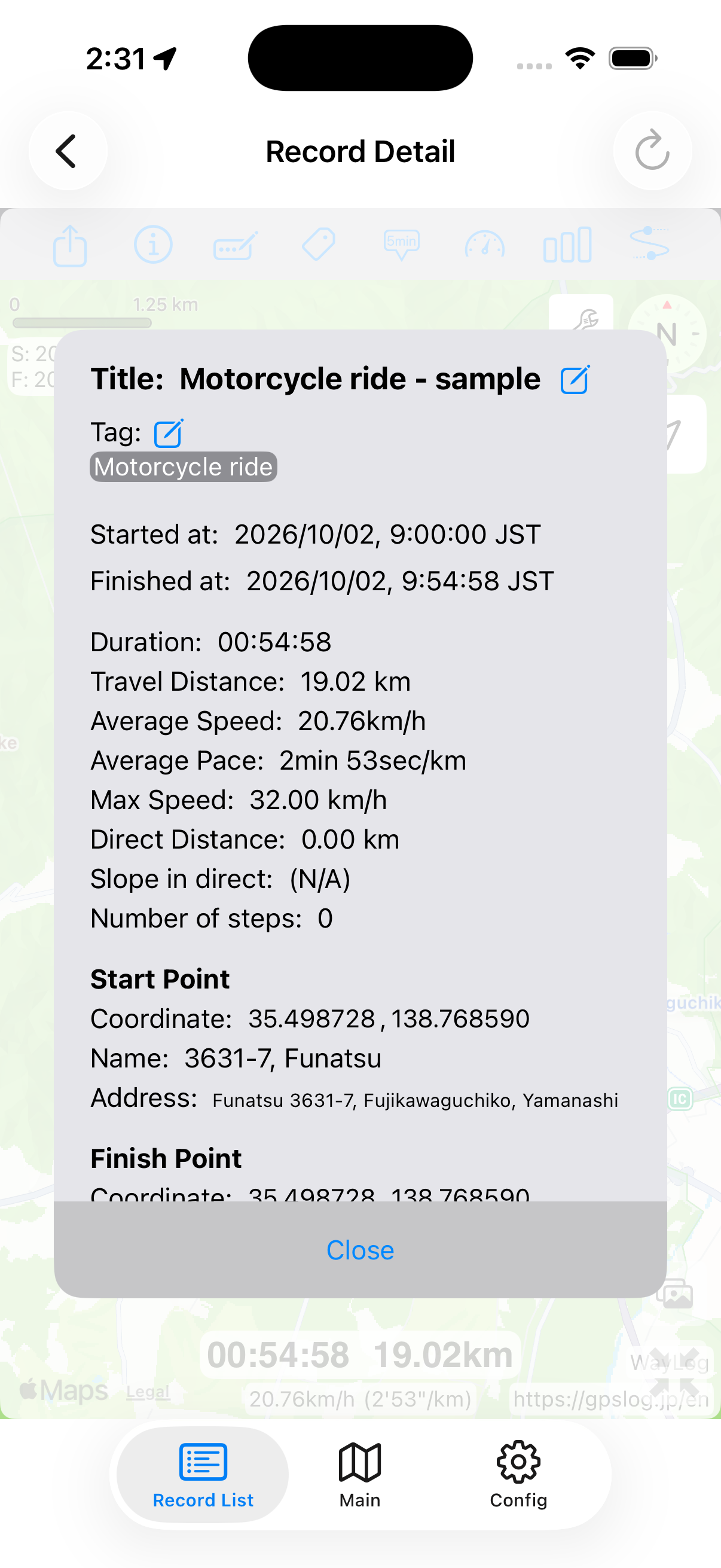
Check distance, speed, and changes in altitude to look back on the day's travel.
Add your own Touring tag and search for records by the date you rode.
Before your first trip, check compatibility and the settings you need.
Check the necessary settings and begin recording before departure.
Enjoy the scenery and roads without operating the app while riding.
Stop recording once parked safely, then check your route and distance.
Look back on the map
Revisit mountain passes and coastal stretches on a map. Keep favorite routes as your own riding records.
A fictional example showing how a record looks. It is not an actual journey or measured distance.
A closer look at your journey
Enjoy the views, take a break, and head home. Revisit the route you traveled on your motorcycle.
Keep records your way
Add tags such as Mountain roads or Coast yourself. Describe the day's roads in a title or note, too.
Example tags you can add yourself
An example of how to organize records. You choose your own tags; they are not assigned automatically.
View or operate the app only after stopping in a safe place. Start recording before departure.
WayLog helps record and revisit routes you traveled. For directions, use your preferred navigation app.
WayLog is free to download and use. Check the App Store and the app for optional features and purchase terms.
No. WayLog cannot recreate a route traveled before recording started. Begin recording before the journey you want to save.
Everyday trips and roads you have never traveled.
Your own records, ready to revisit.
For iPhone · Free to download