

Travel & outings
Remember the places
and the paths between them.
Look back on the route connecting your travel photos.
Explore WayLog for travelA GPS logger for iPhone
Travel detours. Daily walks. Work visits.
WayLog records your routes and distance,
so you can look back on a map.
Also supports standalone recording on Apple Watch.
For iPhone · Free to download
Find your use case
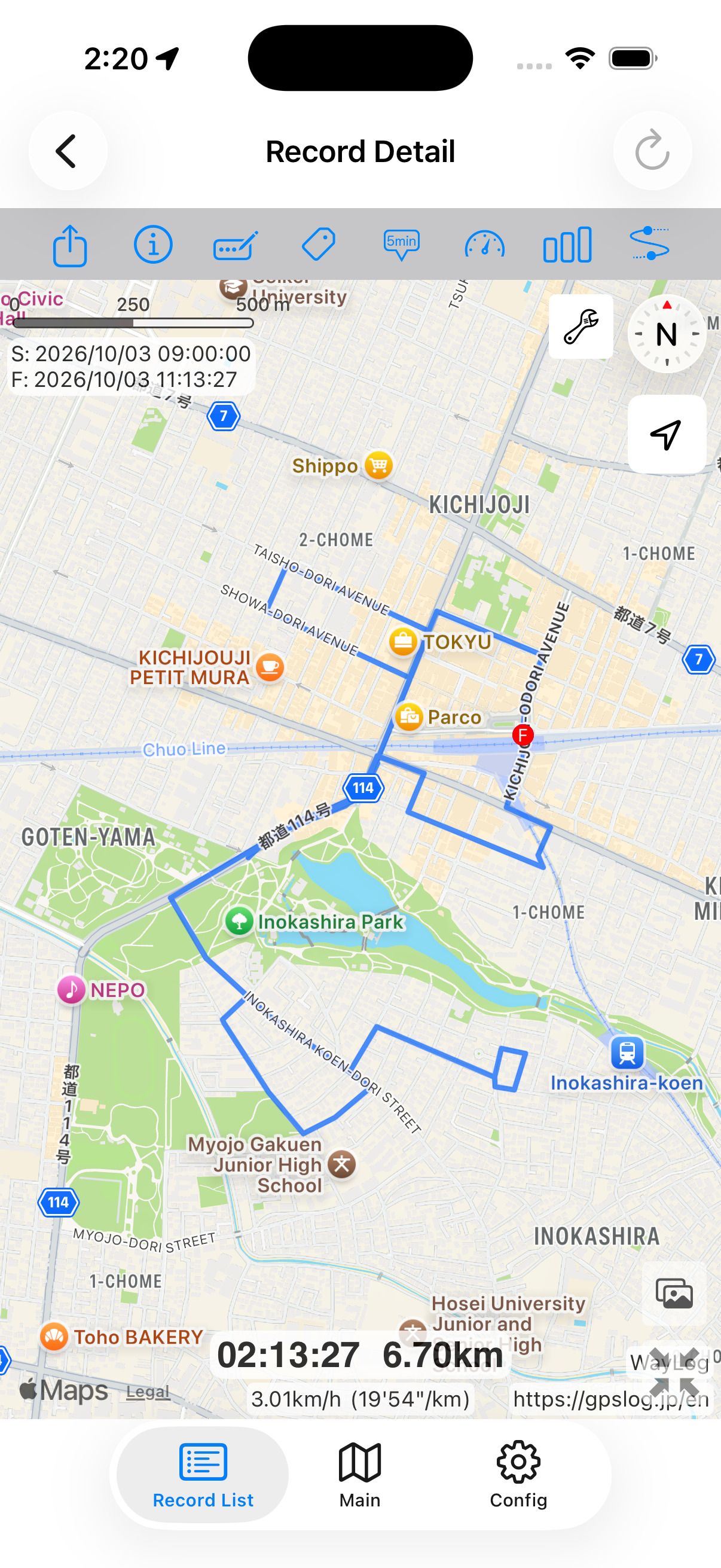
Save the route you took.
Look back on the day.
Start with how you use it
A special day or an everyday trip.
Find a way to use WayLog that fits the routes you want to remember.
Travel & outings
Look back on the route connecting your travel photos.
Explore WayLog for travel
Driving & road trips
Keep a record of favorite roads and routes to new places.
Explore WayLog for driving
Work & client visits
Record your daily travel and review the route you took.
Explore WayLog for workWhat WayLog can do
Turn the routes you record
into journeys you can revisit.
Start recording before you set off. Save your route and check distance, speed, and other details as you travel.
See your route on a map and review changes in distance, speed, and altitude in charts.
Use dates, keywords, and tags to find a journey you want to revisit.
Before you go and on the move
Alongside iPhone controls, you can record from your wrist or quickly start from the Lock Screen.
Record on Apple Watch without your iPhone, or check information from an ongoing iPhone recording.
Use a widget to open the app or start a recording, with fewer steps before you leave.
How recording works
Before the journey begins,
start recording.
Review location access and other settings the app needs to record.
Begin recording, then head out on your usual trip or somewhere new.
Stop recording when you arrive, then revisit your route on a map.
Try it on your next trip
WayLog is free to download and use. Check the App Store and the app for optional features and purchase terms.
Download WayLogFor iPhone · Free to download
Yes. WayLog is free to download and use. Check the App Store and the app for optional features and purchase terms.
Travel, city walks, driving, cycling, running, and more. GPS reception may be limited underground or in tunnels, which can leave gaps in a recording.
You can record with Apple Watch on its own. Maps and detailed route information are viewed on iPhone. For instructions, see the manual for more information.
No. WayLog cannot recreate a route you traveled before recording began. Start recording before the journey you want to save.
For new adventures and familiar roads
Keep a record you can revisit,
right on your iPhone.
For iPhone · Free to download