
Revisit your walking route
See even casually chosen paths on a map. Find a reminder of a favorite walking route.
Record your walks
A short loop around the neighborhood or a longer walk. Record your route and distance, then look back on your everyday walks.
Record your journey with WayLogFor iPhone · Free to download

When WayLog can help
A shortcut to the park, a riverside path, or a turn you took for the first time. Remember the walk as well as the destination.
See even casually chosen paths on a map. Find a reminder of a favorite walking route.
A short stroll or a longer walk. Look back on the distance in your saved record.
Search past walks by date or tag. Build up a collection of your everyday journeys.
Before your first trip, check compatibility and the settings you need.
Check the necessary settings and start recording before your walk.
Walk to the neighborhood park or along the river and record your route.
Stop recording and check your route and distance.
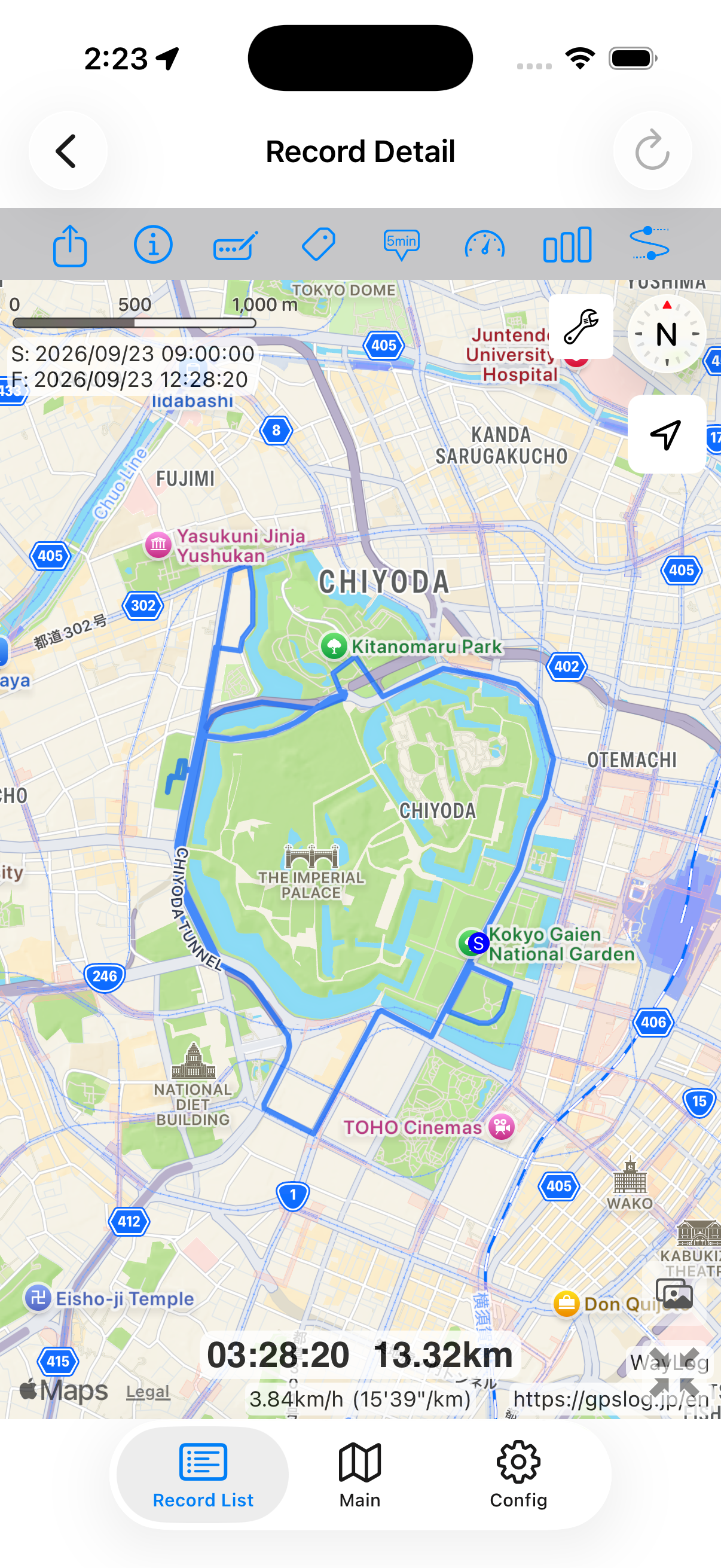
Look back on the map
See your usual walking route as one continuous path. Review where you went and how far you walked.
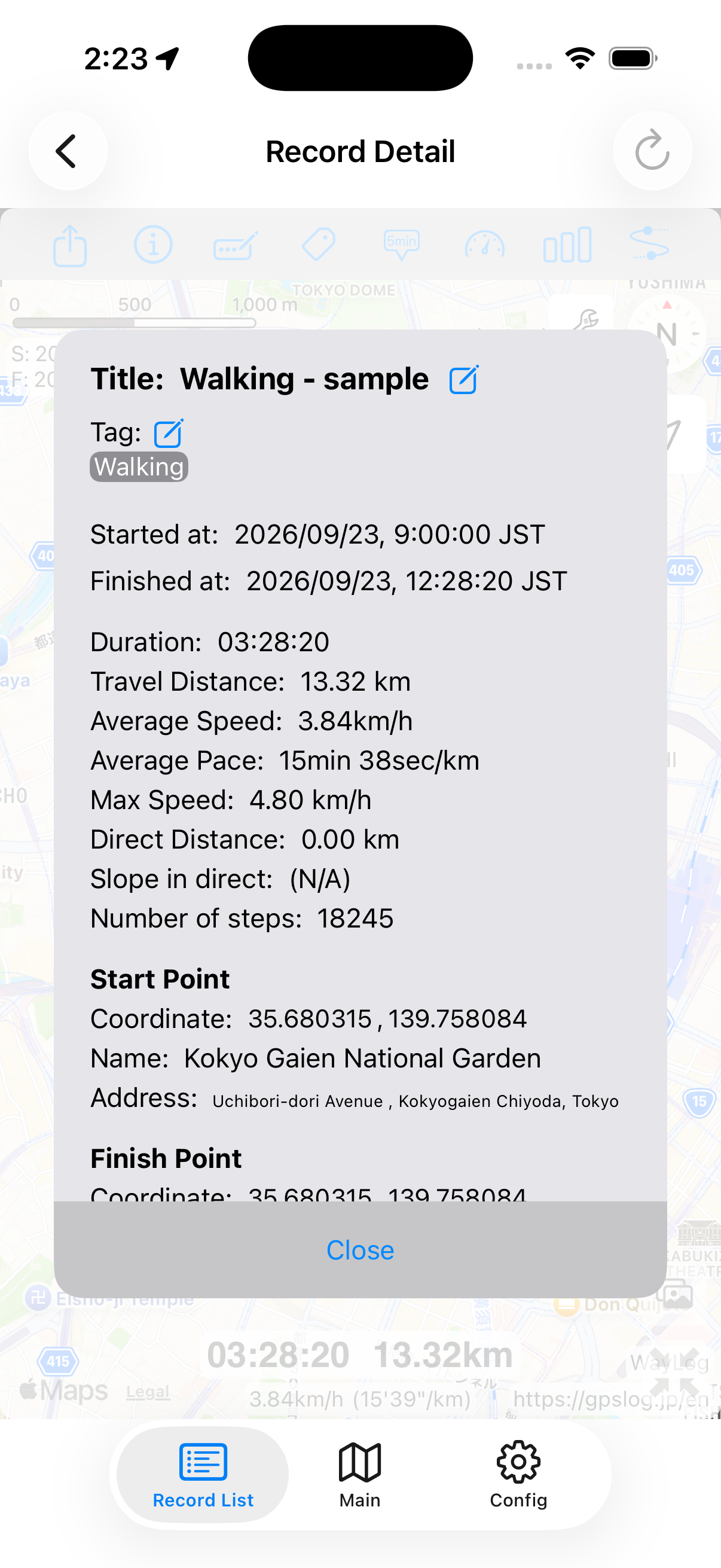
A fictional example showing how a record looks. It is not an actual journey or measured distance.
A closer look at your journey
A loop around the park or the long way home. Your route and distance help bring back the day.
Keep records your way
Add your own Neighborhood or Riverside tags. Search them later alongside dates and keywords.
Example tags you can add yourself
An example of how to organize records. You choose your own tags; they are not assigned automatically.
This page describes reviewing walking routes and distance. It does not assess health or the effects of exercise.
The workflow shown here starts with you beginning a recording before going out. Start before the trip you want to save.
WayLog is free to download and use. Check the App Store and the app for optional features and purchase terms.
No. WayLog cannot recreate a route traveled before recording started. Begin recording before the journey you want to save.
Everyday trips and roads you have never traveled.
Your own records, ready to revisit.
For iPhone · Free to download